

Coda Automations Basics
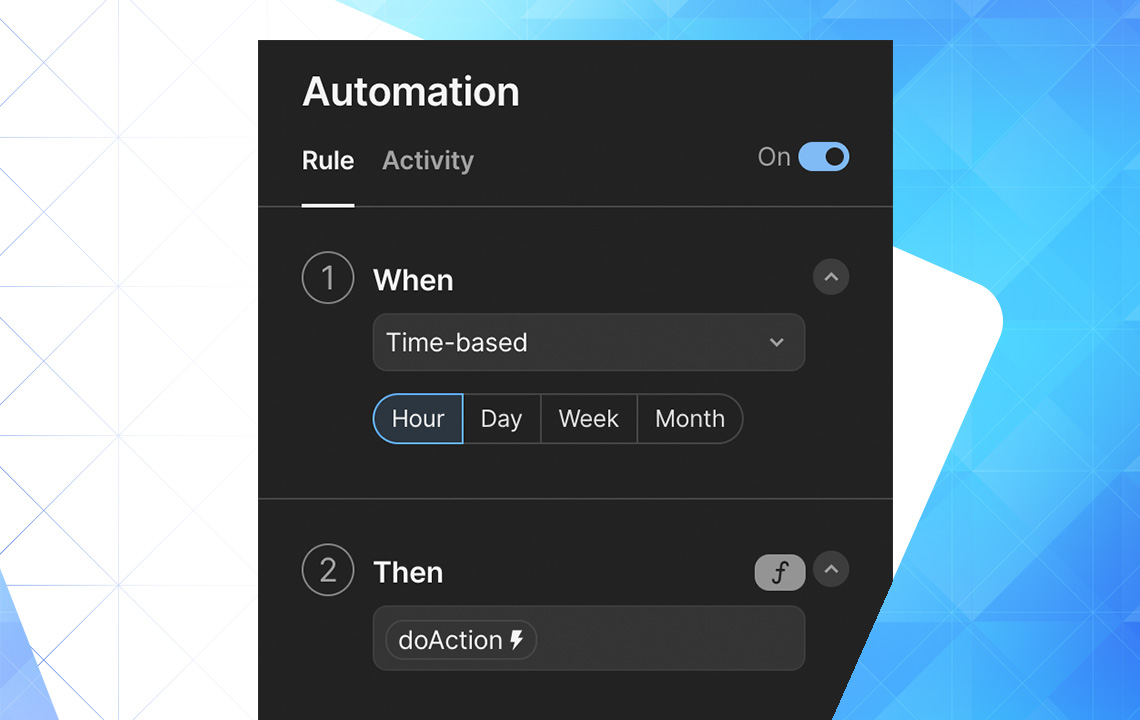
Automation is the technique by which something becomes automatic - an item, a process, or a system. By setting up automations for predictable and repeatable tasks, you eliminate human errors and improve speed and consistency.
How to access Coda automations panel?
Access the Automations sidebar by clicking the small gear symbol in the upper right-hand menu, then select Automations.
Parts of the Automation
The Coda automation formula consists of three parts:
- When - "When something happens in my table..." - This tells Coda what to watch for (row changes, calendar events, form submissions, webhooks).
- If (optional) - "But only if..." or "And also if..." - Conditions placed on the first part to get granular with requests.
- Then - "Do this thing" - What you want Coda to do (press buttons, notify users, send emails, add/delete rows).
Template command: "Hey Coda, when a row is changed in the _____ table in _____ column, but only if it's _____, then you can _____."
Example: "Hey Coda, when a row is changed in the Tasks table in Complete column, but only if it's checked, then you can notify a user."
Coda Automations' Limits
Automation commands take time to execute as they travel to Coda's servers and back. They may take 3 seconds to several minutes. Free and Pro plans have monthly automation run limits; Team plans and above have unlimited instances.
Types of Coda Automations
Four pre-configured automation types exist:
- Row changed
- Time-based
- Form submitted
- Webhook invoked
Row Changed
Useful for sending notifications, archiving/deleting rows, or creating modification logs. Example: notify users when tasks are marked complete.
Time-Based
Triggered by cadence (hourly, daily, weekly). Great for recurring tasks and reminders. These can filter information using formulas without requiring conditions.
Form Submitted
Triggered each time a form is submitted from your doc or published link. Useful for data population, auto thank-you emails, or notifications.
Webhook Invoked
Triggered by incoming webhooks (connections between applications). Great for notifications, digital product delivery, real-time delivery notifications, and archive systems.
Video tutorial step by step
For webhook setup details, see the YouTube video "Coda VS Zapier: Coda's automations may put Zapier out of business".
Want to read more?